From Raw AI Output to Editorial Quality
This is the second post in my series about building an AI-powered Telegram news channel. The first post covered the architecture and Hebrew prompt engineering. This one is about the product journey - how the editing experience evolved as I used the tool daily and discovered what “good enough” AI output actually needs before it’s ready to publish.
Here is how the system evolved from a naive “just ship it” button to a multistep editorial workflow.
Version 1: The “Just Ship It” Illusion
The first version had no editing. You’d pick a time range, hit “Generate Summary,” review the text, and hit “Publish.” It took about 5 minutes instead of an hour. I was thrilled.
For about a week.
The problems appeared quickly. GPT would occasionally bury the most important story in the “Additional Info” section. It would split a single developing story across two categories. It would use slightly awkward phrasing that I’d want to tweak. Every time, I had to go back to the generate step, adjust the prompt or the time range, regenerate, and hope the new output was better. Often it was different, but not better.
I needed to edit the output, not just accept or reject it.
Version 2: The Drag-and-Drop Editor
The publish page quickly became the heart of the application. I built a two-column layout where the AI’s structured output is rendered as draggable items:
- Main Part - the top stories, capped at ~400 words
- Additional Info - secondary items
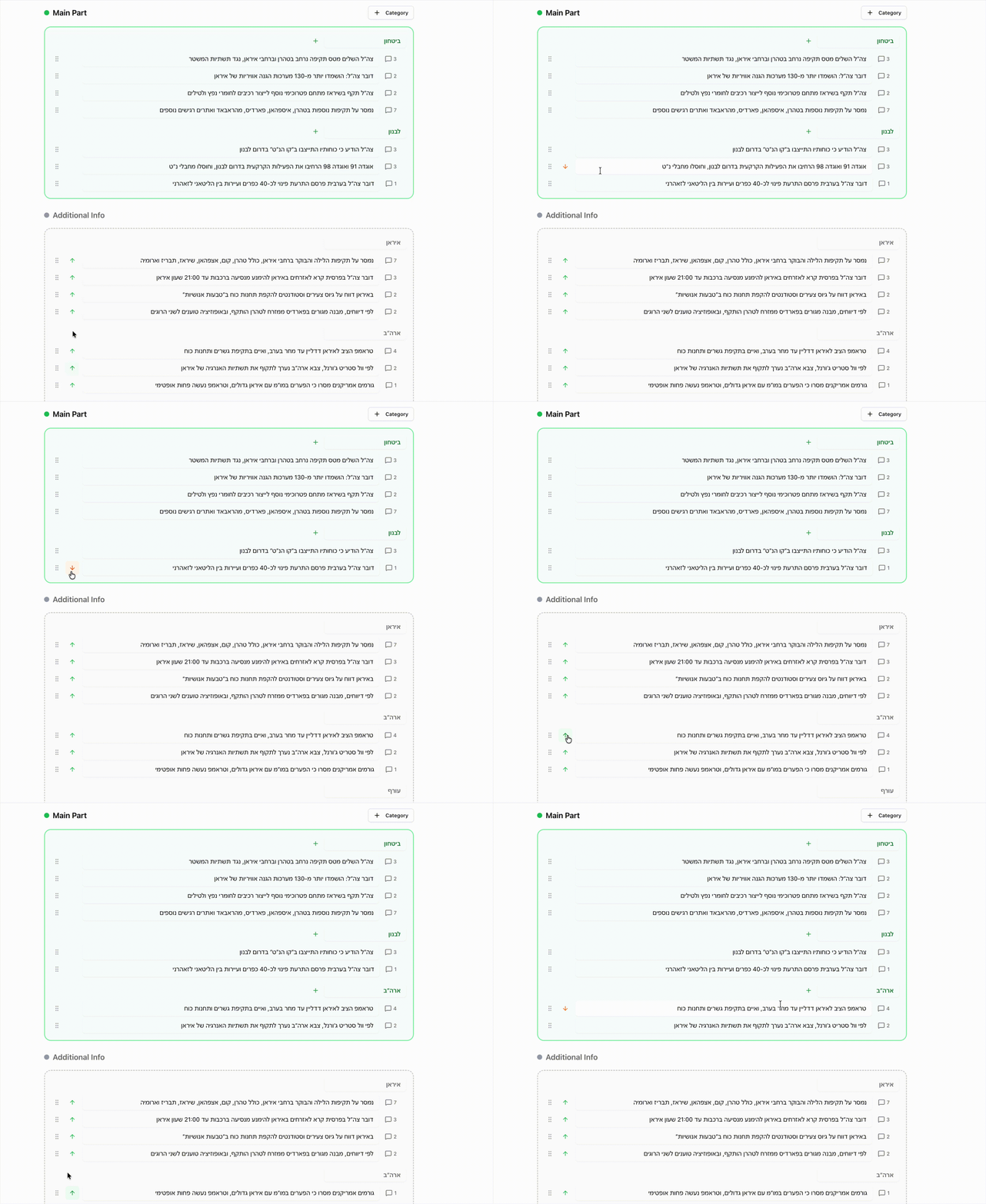
You can drag items between sections, reorder within a section, rename categories, and edit text inline. There’s undo/redo support and a live word count for the main section.
This changed everything. Instead of regenerating when the AI got something wrong, I’d just drag the misplaced item to the right section and fix the wording. The AI got me 85% of the way; the editor handled the last 15%.
The key design insight was keeping the structured JSON format from the AI response all the way through the UI. Each item is still a typed object with text, sourceMessageIds, and a category. The drag-and-drop operates on this structure, not on raw HTML. This made it possible to serialize the edited state and pass it to downstream steps.
Version 3: Conversational Refinements
Sometimes the AI’s output was missing context that I knew existed in the source messages. Maybe a developing story had important details that got consolidated away, or a category was too sparse.
Instead of regenerating from scratch, I added a follow-up panel. You type a question like “add more detail about the Lebanon operation” or “combine the Iran and Syria sections,” and the system sends a refinement request to GPT.
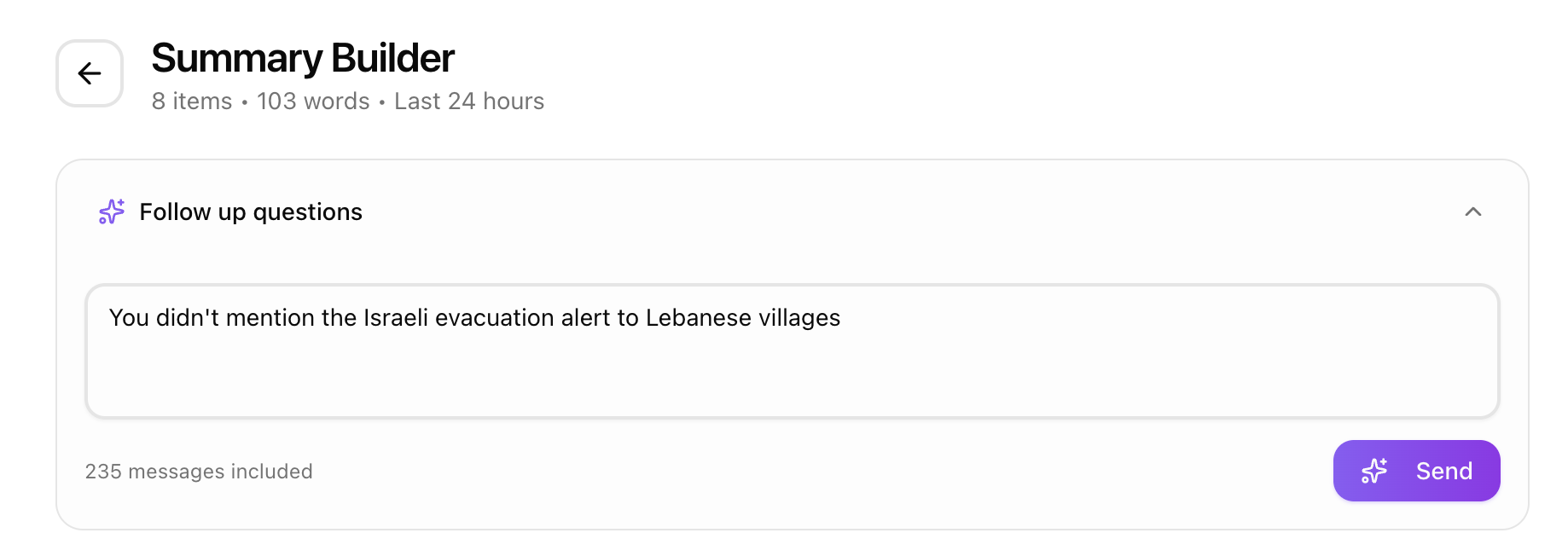
The trick that makes this work so well is prompt caching. The refinement prompt reuses the exact same message block (byte-for-byte identical prefix) as the initial generation. OpenAI caches the large messages portion of the prompt, so the refinement call only pays for the new instructions and the current summary context. This made follow-ups both fast and incredibly cheap.
The refinement prompt includes the current summary as JSON and the user’s question, then asks for a complete updated summary. I tried having the model return only the diff, but it was unreliable - it would sometimes change things it shouldn’t have. Returning the full summary and doing a client-side merge turned out to be simpler and more predictable.
Version 4: The Beautification Pass
Even after editing, the output was still structured bullets - functional but not engaging for a Telegram audience. I added a “compose” step between editing and publishing.
This step sends the edited HTML to a separate AI call with a completely different prompt. Where the summarization prompt is analytical (“extract facts, categorize, attribute sources”), the beautify prompt is editorial:
- Merge thematically related categories into narrative sections
- Create compelling headers with emojis
- Add bold sub-labels where they aid scanning
- Append a randomized call-to-action from a pool of 8 options
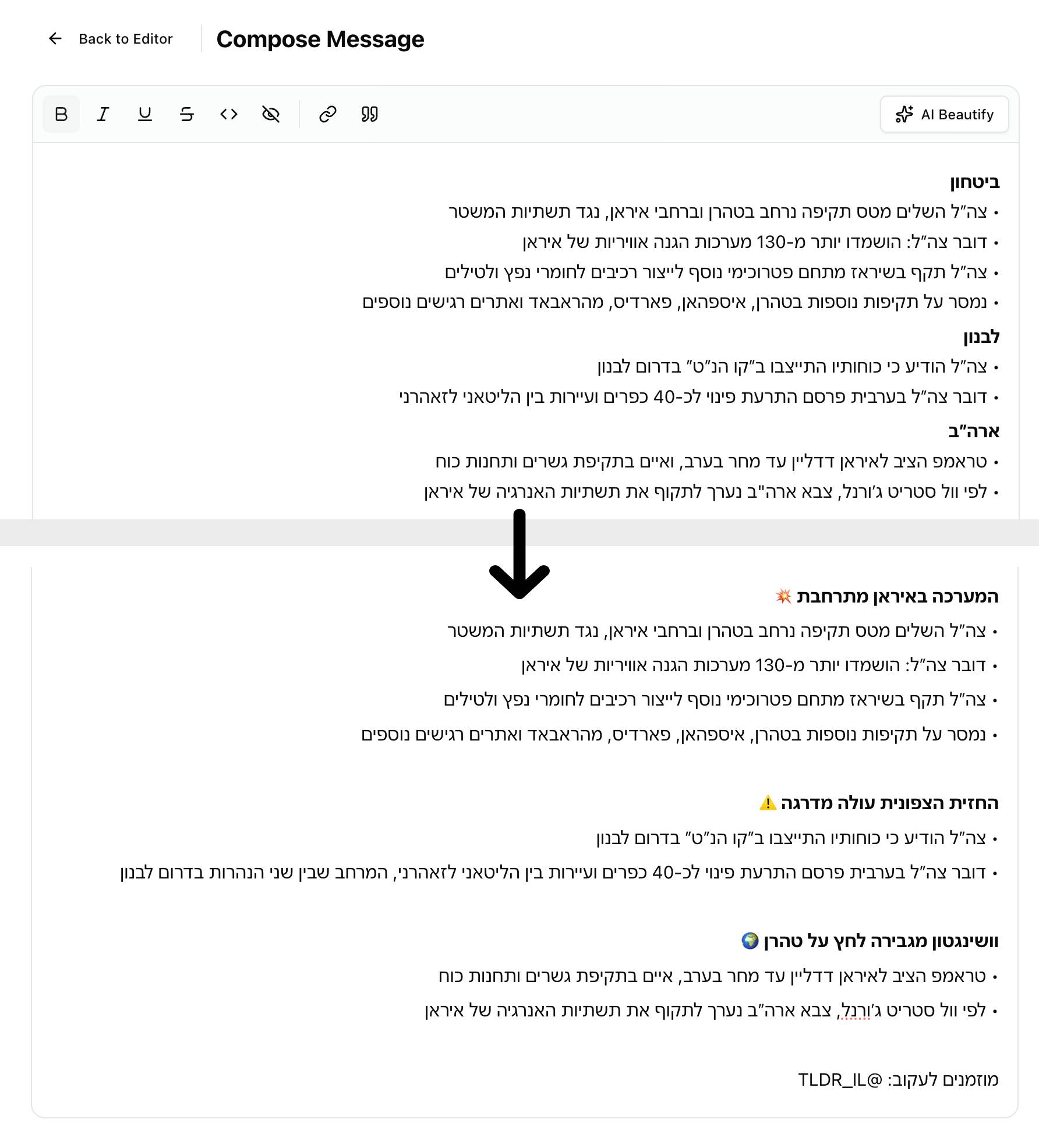
The beautify prompt explicitly tells the model it’s a “senior Hebrew news editor” doing a “light editorial pass.” It can merge related bullets, rephrase for flow, and restructure sections - but it cannot invent facts or omit information. This framing consistently produces better results than asking for generic “formatting.”
Here’s what the pipeline looks like end to end:
Fetch messages
  → Drag-and-drop editing
    → Follow-up refinements
        → Beautification (editorial AI pass)
            → Final review
                → Publish to Telegram
Each step adds a layer of quality. The AI does the heavy lifting of reading hundreds of messages and extracting structure. The editor lets me apply human judgment. The beautification pass adds the editorial polish that makes the output feel like it was written by a person, not generated by a machine.
The Session-Based State Decision
One architectural choice worth mentioning: all state between these steps lives in sessionStorage, not in the database. The generated summary, edits, refinements, and beautified output all live strictly in the browser session.
I considered persisting drafts to the database, but it added complexity for no real benefit. I’m the only user, and I always complete a summary in one sitting. Session storage survives page reloads, lets me navigate back and forth between steps, and clears automatically when I start a new summary. Simple beats sophisticated when you’re the only user.
What I Learned About Human-AI Workflows
The biggest lesson: AI output needs a curation layer, not just a generation step. The model is good at reading 300 messages and producing 15 categorized bullets. It is not good at knowing which bullet your audience cares about most, or that today’s Lebanon story should lead because of yesterday’s context.
The editing UI is where human judgment enters the loop. The beautification pass is where AI compensates for the structural rigidity of the editing step. Neither alone produces great output. Together, they produce something I’m proud to publish.
The other major takeaway: don’t try to get the AI right in one shot. A pipeline of focused, specialized prompts - summarize, then refine, then beautify - produces wildly better results than one mega-prompt that tries to do everything. Each prompt has a narrow job and a clear persona. The summarizer is an analyst. The beautifier is an editor. They shouldn’t be the same prompt.
If you read Hebrew and want to see the output of this pipeline, subscribe to the channel: החדשות בדקה on Telegram.